Free Printable Weekly Employee Schedule Template [Excel]
Manual scheduling can eat up hours every week. If you’re still building the work schedule by hand instead of using a work schedule template in Excel, you’re wasting time you could put into training staff, helping customers, and growing your business. Use this free weekly employee schedule template in Excel to plan shifts, see coverage at a glance, and reduce mistakes that creep in with paper schedules.
Here’s how to use the printable employee work schedule template
Step 1: Enter your employeesOn the purple tab titled Employees
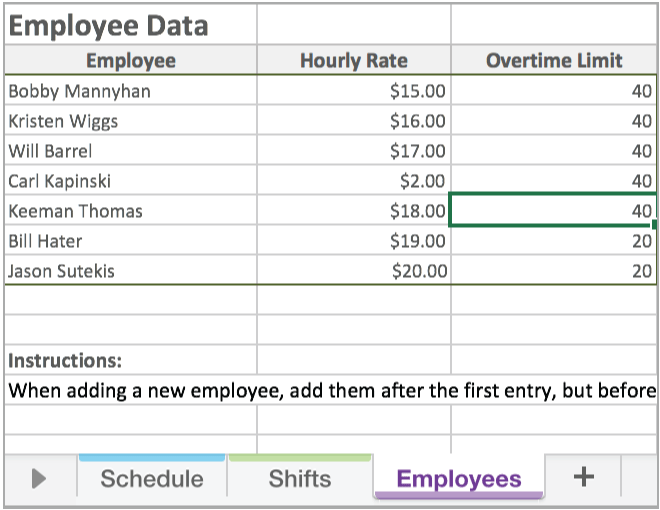
Add each employee’s name, hourly rate, and overtime limit (how many hours they can work before overtime applies). This lets the template calculate hours and pay more accurately as you build each week’s schedule.
Step 2: Create shifts and rolesOn the green tab titled Shifts
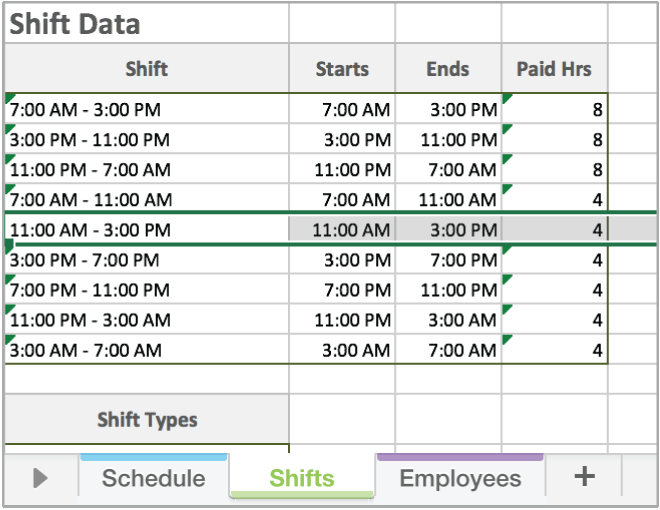
Enter the start and end times for the shifts you use in a typical week. In the Shift Types section, add the names for each kind of shift, such as manager, server, host, or team lead. Setting this up once makes it easier to build a clear weekly work schedule for your team.
Step 3: Start schedulingOn the main schedule tab
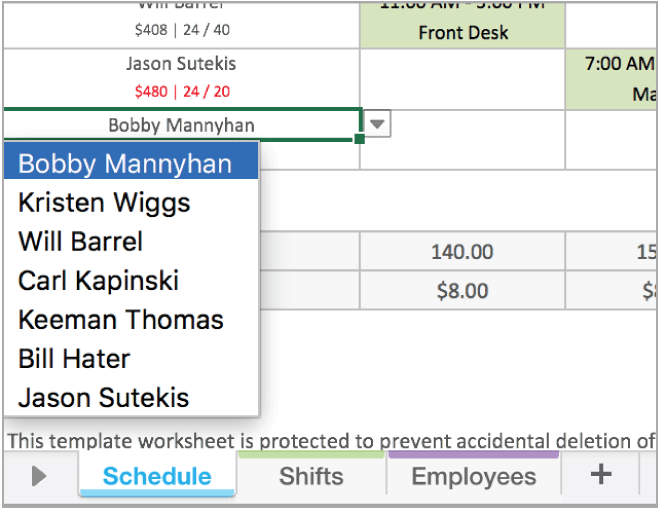
Once your employees and shifts are set, use the dropdowns in each cell to assign people to shifts for each day of the week. To change the week, update the start date at the top of the schedule, and the rest of the dates will adjust automatically.
If you want to start fresh, use the CLEAR button to remove existing shift data and begin a new week. If the PRINT button doesn’t work in your PDF or spreadsheet program, you can still print the schedule using your usual print menu.
Want to skip the printable work schedule template and just start using employee scheduling software instead?
SAVE UP TO 15 HOURS A WEEK BY SCHEDULING WITH WHEN I WORK.
Sign up to try When I Work free for 14 days and see how much easier it is to schedule your employees.
What is an employee scheduling template?
An employee scheduling template is a prebuilt layout that helps you organize and assign shifts each week. A template can include employee names, shift start and end times, break times, work days, days off, and job roles. Using a spreadsheet, such as a work schedule template Excel file, makes it easier to map out coverage, stay consistent, and avoid rebuilding the schedule from scratch every week. Templates help you save time, reduce mistakes, and keep your team aligned.
The benefits of using our free Excel employee schedule template
Switching from paper schedules to a weekly work schedule template file helps you save time and improve accuracy. The template provides a clear structure for names, shifts, and hours, helping you avoid common mistakes associated with manual entry.
You can adapt it to fit your business, reuse it each week, and save time by not rebuilding the schedule from scratch. It’s a simple way to stay organized and protect the valuable hours you can dedicate to running your team.
The disadvantages of traditional manual scheduling
If you’re still managing the work schedule on paper, you’re spending far more time than you need to. Keeping up with changing availability, last-minute swaps, and shifting preferences is exhausting, and every update creates a new chance for errors. When someone needs to switch shifts, it can be difficult to make the change quickly or be confident that everyone has seen it.
Manual scheduling makes it:
- Difficult to share the most accurate version of the schedule and know everyone has seen it
- Hard for employees to find coverage for shifts they need to swap
- Challenging to track availability and time off without missing something
Streamline your work schedule planning with the When I Work app
Switching from a handwritten schedule to a digital file is a good first step, but spreadsheets still come with limitations. You have to create a new document each week, resend the entire schedule every time something changes, and hope every employee is looking at the right version. It’s easy for details to get lost along the way.
The When I Work app removes those bottlenecks and helps you and your team stay organized. You can build schedules in minutes, share updates instantly, and give everyone one place to check their shifts.
With the When I Work app, you can:
- Create, edit, and manage schedules
- Communicate with your team
- Respond to time-off requests
- Track time and attendance
- Manage projects
The When I Work platform works for single and multiple locations, providing real-time data that gives you clear visibility into your labor costs and staffing needs.
See how much faster scheduling becomes when you start your free 14-day trial.
Why use scheduling software instead of Excel?
A spreadsheet can help you organize basic shift details, but affordable scheduling software gives you tools that make your workplace more efficient and your staffing decisions more accurate. When you switch to the When I Work app, you gain access to features designed specifically for shift-based teams.
Automated employee scheduling
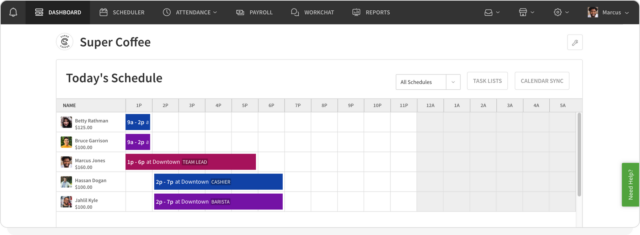
Automated scheduling enables you to create a full work schedule with a single click. After you set the shifts you need, the app creates the schedule based on your staffing requirements and your employees’ availability and qualifications.
- Auto scheduling assigns employees to shifts
- Availability, time-off requests, and eligibility are factored in
- You can review and adjust the schedule before publishing
Businesses often spend hours each week handling these tasks manually. Auto scheduling can save you up to 15 hours every week.
Schedule templates
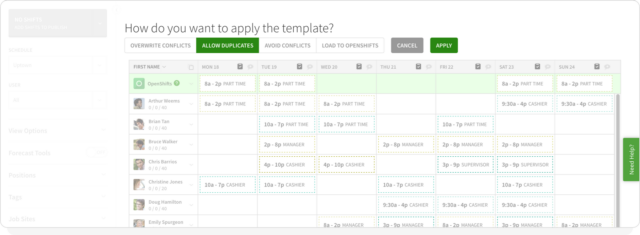
Templates help you create new schedules faster and avoid rebuilding layouts from scratch. You can duplicate last week’s schedule, reuse a template that worked well, or build templates for busy seasons or different departments.
- Copy last week’s schedule to save time
- Turn a strong schedule into a reusable template
- Create templates for seasonal demand or specific teams
With templates, managers are scheduling up to eight times faster. Reliable schedules also reduce no-shows by more than three times.
Labor forecasting
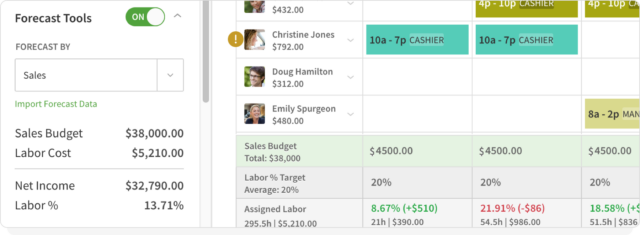
Labor forecasting helps you stay properly staffed and prevents overspending. You can build schedules based on demand trends and get real-time insights as you plan.
- See labor budgets inside the schedule
- View labor costs as you build the schedule
- Receive alerts when an employee is about to hit overtime
These tools help reduce unnecessary labor costs. Businesses that use forecasting and overtime alerts often lower labor spending by more than 20%.
Built-in time clock
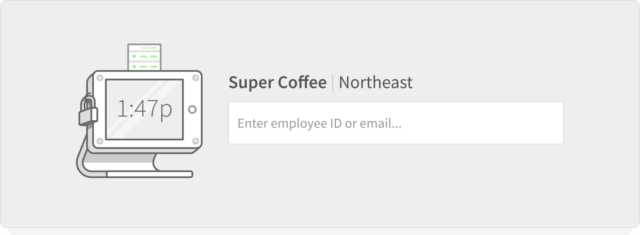
With the When I Work app, any device can be used as a time clock. Managers can track attendance, hours worked, breaks, and more without juggling separate tools. Everything is built in, so schedules and time tracking stay aligned.
- Employees clock in and out on their phones with geofencing for on-site accuracy
- Timesheets are easy to review and export for payroll
- Notifications alert managers to missed clock-ins or clock-outs
Using the built-in time clock reduces errors, prevents time theft and buddy punching, and speeds up payroll processing.
Messaging features
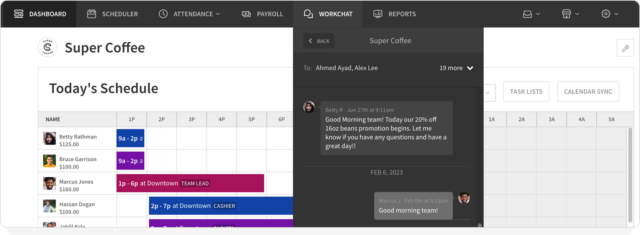
Keep your team organized and informed with built-in messaging tools. Send group messages, announcements, or one-to-one messages without sharing personal contact information.
- Protect employee privacy by keeping communication in the app
- Reduce scattered texts, calls, and emails
- Keep a clear record of schedule updates and important information
Centralized messaging ensures everyone sees the information they need, right where they check their schedule.
Ditch the spreadsheet and start scheduling for free with When I Work
Switching from a spreadsheet to a digital employee scheduling solution saves hours every week. Managers report building schedules eight times faster with the When I Work app. You can share schedules instantly, make updates in real time, and ensure your team always has the latest version.
Employees love how easy it is to use, helping improve communication and reduce confusion.
Start your free 14-day trial of the When I Work app today and see how fast scheduling can be.
Start your free 14-day trial of When I Work! Click here to start scheduling your employees today.